Content sharing
Sharing content with your team makes it easier to collaborate, improves decision-making, and keeps everyone on the same page.
Content access roles
Section titled “Content access roles”Each user is assigned a content access role on each piece of content. Roles can be assigned at the content or folder level.
| Permission | No Access | Viewer | Editor | Manager |
|---|---|---|---|---|
| View dashboards | X | ✓ | ✓ | ✓ |
| View & explore workbooks | X | X | ✓ | ✓ |
| Update dashboards & workbooks | X | X | ✓ | ✓ |
| Delete folders they created | X | X | ✓ | ✓ |
| Manage permissions on content | X | X | X | ✓ |
Best practice: assign the least permissive role that satisfies a user’s needs.
Sharing content
Section titled “Sharing content”To grant content access, click the Share icon near the top right corner of any folder or document:

Users and user groups
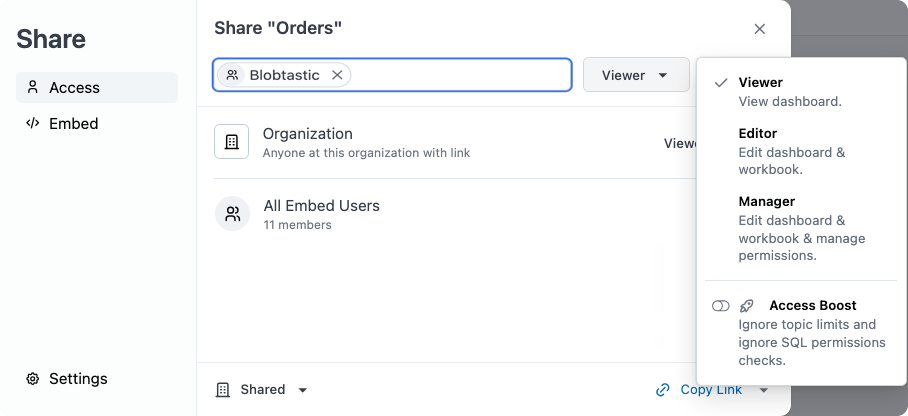
Section titled “Users and user groups”To share content with individual users or groups:
- Click the Share with users or groups field.
- Select the users and groups you want to share with.
- Use the access role dropdown (next to the Share button) to assign their role.
- Click Share.
Organization
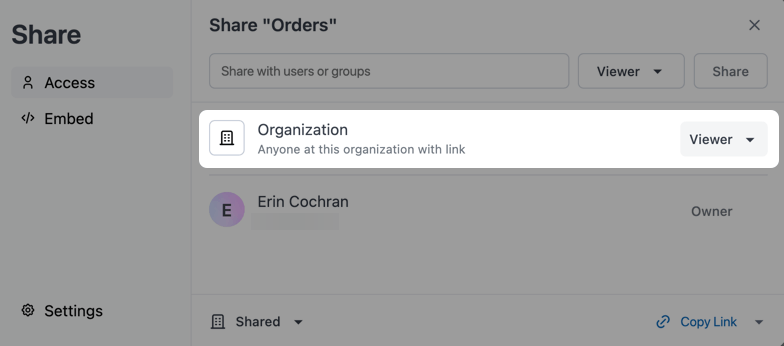
Section titled “Organization”If you create or move content to your organization’s Shared hub, you can also set a default access role for the entire organization. Use the access role dropdown next to the Organization field in the Share modal.
Inheriting access roles
Section titled “Inheriting access roles”The contents of a folder inherit the access role of the parent folder. Documents and subfolders can be assigned a more permissive role than the parent, but not a less permissive one.
For example, when Folder 1 requires an Editor role or higher:
DirectoryFolder 1 - Editor or higher/
- Document A - Editor or Manager
DirectorySubfolder 1 - Editor or Manager/
- Document B - Inherits from Subfolder 1
DirectorySubfolder 2 - Inherits from Subfolder 1/
- …
When Folder 1 is set to No access, documents and subfolders inside it can be assigned any more permissive role:
DirectoryFolder 1 - No access/
- Document A - Viewer or higher
DirectorySubfolder 1 - Viewer or higher/
- Document B - Inherits from Subfolder 1
DirectorySubfolder 2 - Inherits from Subfolder 1/
- …
What can users see?
Section titled “What can users see?”If a folder contains content a user has access to, the user will see the folder. They will only see the content they have access to within it. Folder names are always visible.