Dashboard Agent
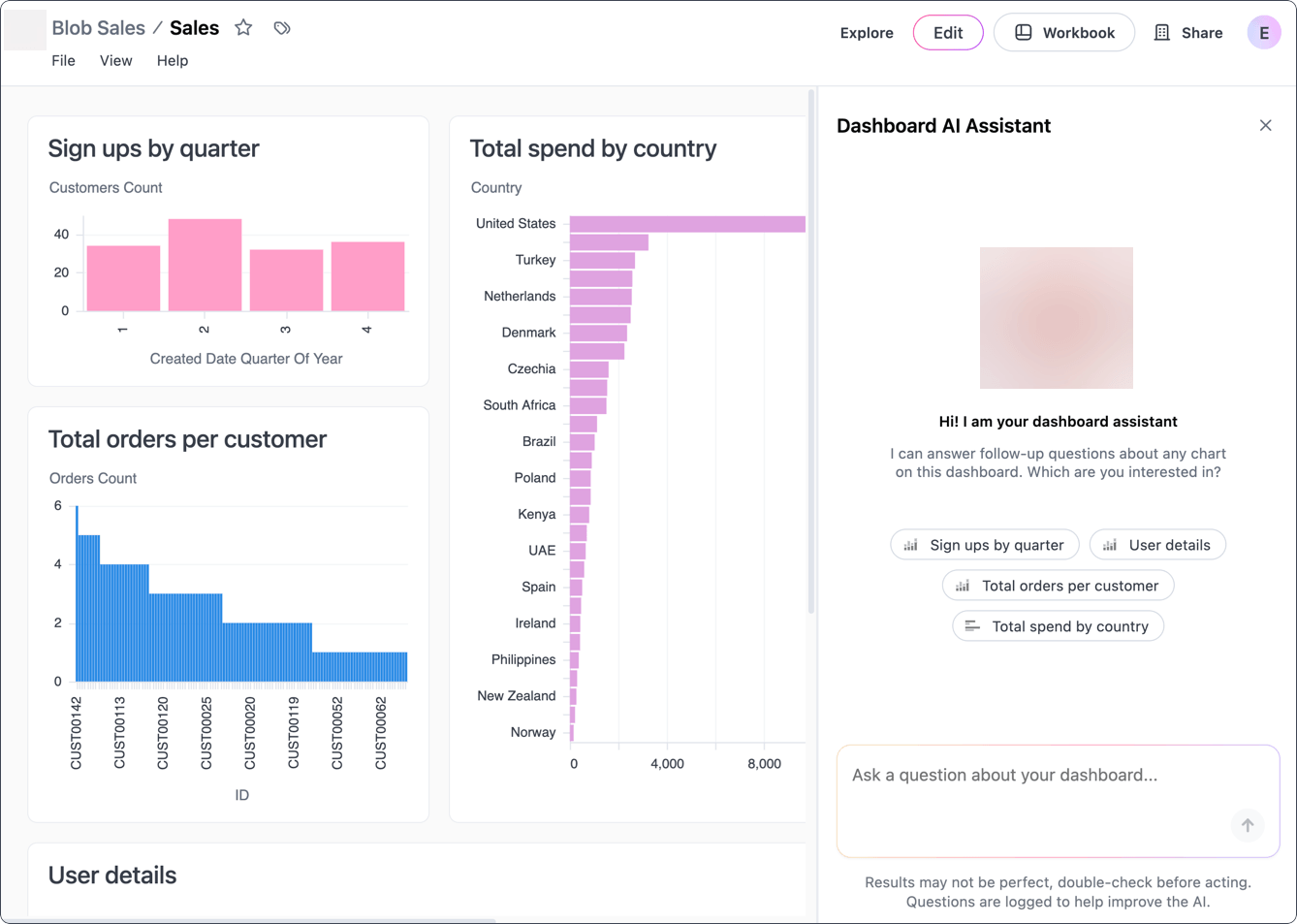
The Dashboard Agent allows you to interact with dashboard tiles using natural language. Ask follow-up questions, drill into subsets, re-aggregate results, or request summaries, all without leaving the dashboard.
Limitations
Section titled “Limitations”Before you get started, note that the Dashboard Agent:
- Can’t edit the dashboard. To make changes to a tile or visualization, enter a draft of the document and edit as you normally would.
- Is limited to topics that are used in the current dashboard or otherwise made available by your data team.
Using the Dashboard Agent
Section titled “Using the Dashboard Agent”Opening the chat panel
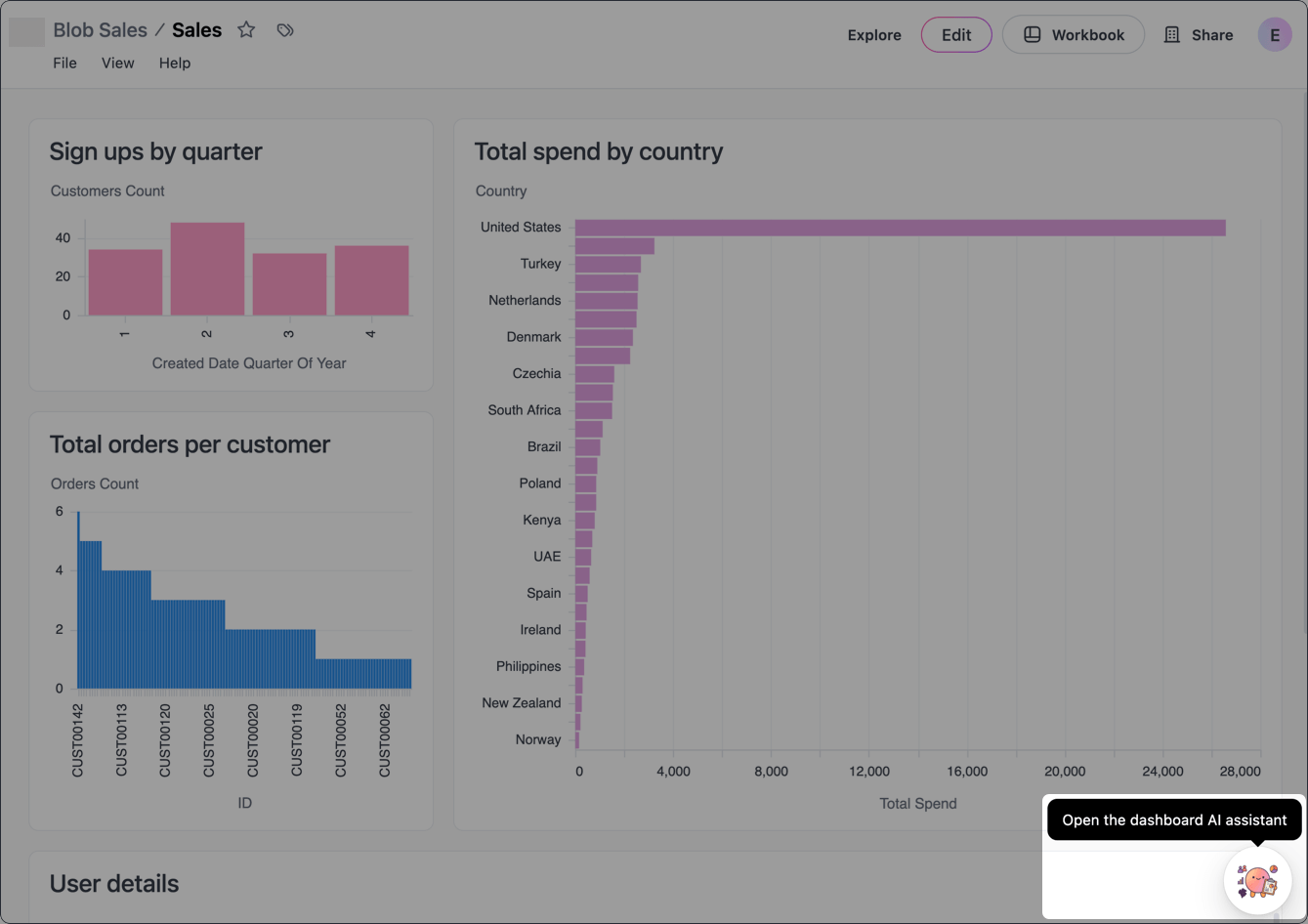
Once enabled, the Dashboard Agent icon will display in the bottom right corner of published dashboards. Click this icon to open the Dashboard Agent and begin chatting!
Focusing on specific charts
You can scope the Dashboard Agent to specific charts by:
-
Clicking a specific chart in the chat, or
-
Clicking on a tile’s (three dot icon) and selecting Ask a follow up question:
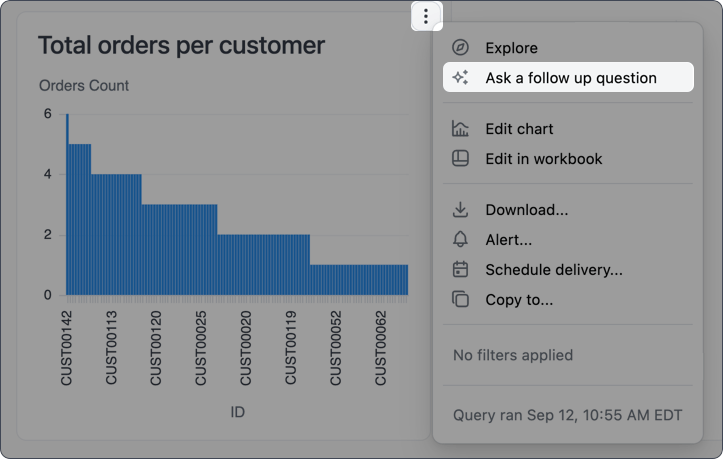
The Dashboard Agent will focus on the selected chart until you remove the focus or close the chat panel.
Unfocusing from specific charts
To unfocus the Dashboard Agent from a specific chart, click the X on the chart chip in the chat input. You can also close the chat panel entirely, though this will remove the chat history.
Attaching images
You can paste images directly from your clipboard into the Dashboard Agent chat input to provide visual context alongside your questions. Copy an image to your clipboard, click into the chat input, and paste it.
The image appears as a file chip in the chat input, indicating it’s ready to be sent with your message.
Getting help
If you’re stuck and can’t remember how to do something in JustAsk, just ask the JustAsk Agent. Questions like “How do I do [thing]?” will prompt the agent to search the docs and provide you with an answer, all without leaving your JustAsk workflow.
You can also directly tell the agent to search the docs when researching the answer to your question.