Archiving and restoring content
When you no longer need a workbook or dashboard, you can archive it by moving it to the trash. In JustAsk, archiving a document means moving it to the trash. Archived documents aren’t deleted — they remain recoverable from the Trash page, and users with sufficient permissions can also restore them directly when following a link to archived content.
Requirements
Section titled “Requirements”Editor, Manager, or Owner permissions are required to archive and restore archived documents.
Archiving documents
Section titled “Archiving documents”When you archive a document, the document’s workbook and dashboard will also be archived.
Step 1
In a published document (workbook or dashboard), click File > Move to trash.
Step 2
When prompted, click Move to trash to confirm.
Restoring documents
Section titled “Restoring documents”You can restore an archived document in two ways: from the Trash page, or from a direct link to the archived document.
Restoring documents from the trash
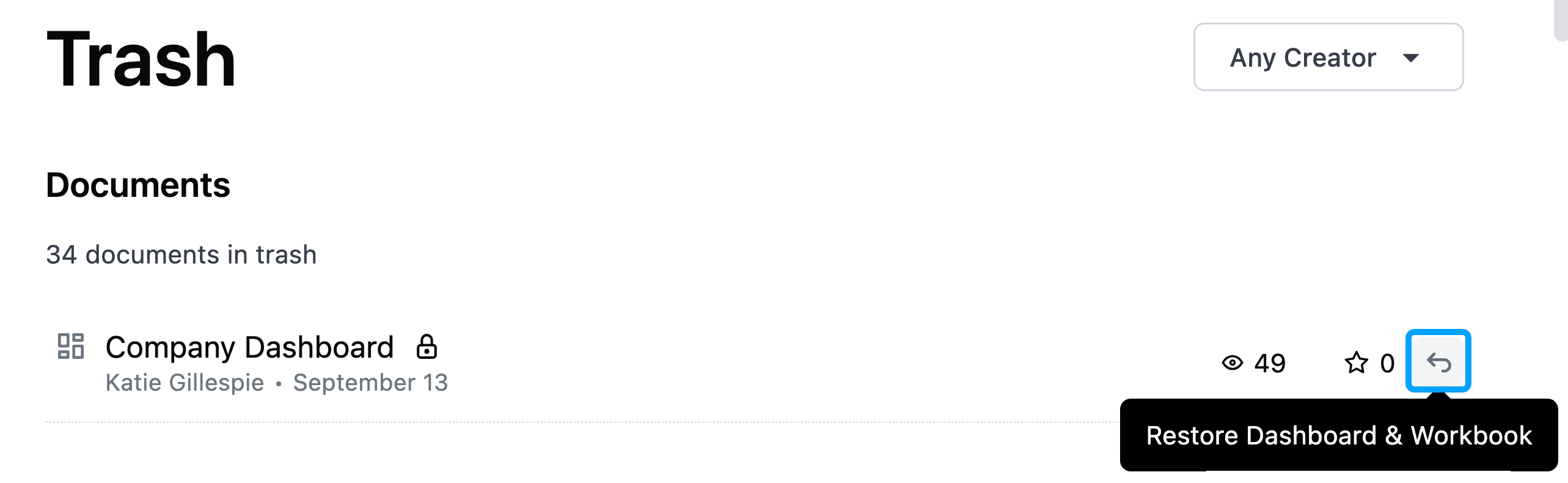
Section titled “Restoring documents from the trash”To restore a document from the Trash, click the restore arrow (highlighted in the following image) next to the content you want to restore:
Restoring documents from a direct link
Section titled “Restoring documents from a direct link”If you follow a direct link to an archived document and you have sufficient content permissions, you’ll see a page similar to the following:
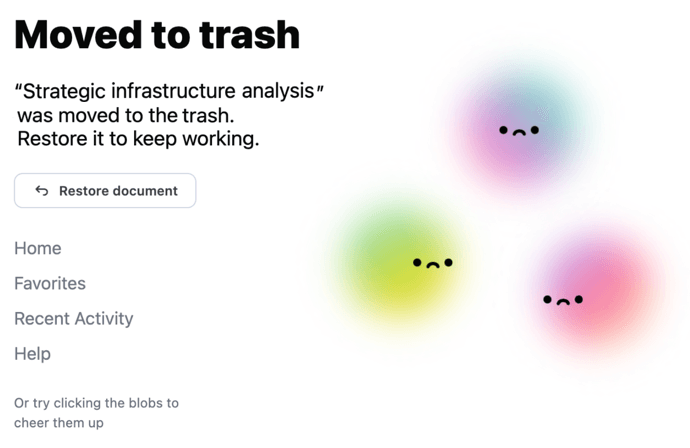
Use the Restore content button on this page to restore the document.
If you don’t have permission to restore the document, you’ll see a message explaining why:
- Insufficient permissions - You don’t have the required permissions to restore the document
- Model in trash - The underlying model has been archived. If you have permission to restore the document, you’ll see the model name and ID so you can locate it in the trash.